GameHub Download: Play Windows Games on Android (2026 Guide)
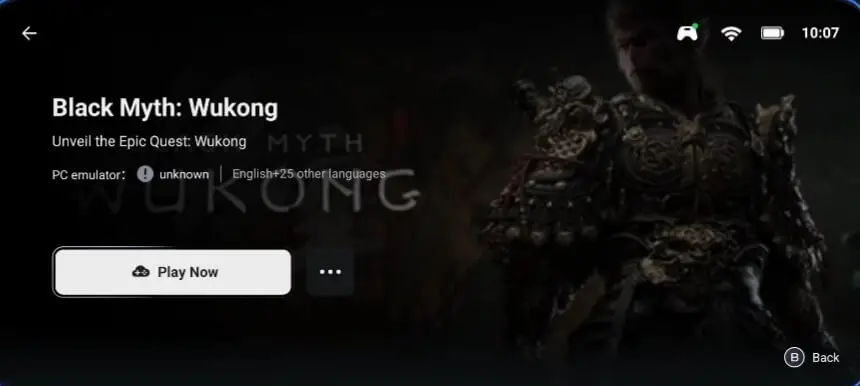
🚀 Quick Summary: GameHub is an official Android app developed by GameSir. Available directly on the Play Store, it allows you to play your Steam PC games natively on mobile via emulation or cloud streaming—requiring absolutely zero technical setup.
📑 In This Guide
What is GameHub? Your Gateway to Windows Gaming
GameHub is revolutionizing mobile gaming by bringing Windows PC games directly to your Android device. Developed by GameSir, the popular gaming peripheral manufacturer, GameHub made its official Google Play Store debut in November 2025, making it easier than ever to access your Steam library on the go.
Unlike traditional streaming solutions that require a constant high-speed internet connection, GameHub utilizes advanced translation layers and emulation technology to run Windows games natively on your Android phone's hardware.
Key Features: Why It's the #1 Emulator
GameHub stands out from other complex Android emulators with these powerful, user-centric features:
- Direct Steam Integration: Log securely into your Steam account and download games directly from Valve's servers to your Android storage.
- Steam Cloud Save Support: Seamlessly sync your game progress between your main PC and your mobile device.
- Three Gaming Modes: Choose between Native Windows Emulation, Cloud Gaming (Xbox Cloud), or Local PC Streaming.
- User-Friendly Interface: Automatic hardware detection and driver installation. No need to mess with Wine configurations or Obb files.
- Official Play Store Safety: Download safely from Google Play with automatic updates and Google Play Protect security verification.
🎮 Gameplay Showcase: See It In Action
How to Download GameHub: Step-by-Step
Method 1: Google Play Store (Recommended)
The absolute easiest and safest way to install GameHub is through the official Google Play Store. This ensures you get the official version tailored for your device.
- Open the Google Play Store app on your Android device.
- Search for "GameHub" or "GameSir GameHub".
- Tap the Install button (the app is completely free).
- Open GameHub and follow the initial 2-minute setup wizard.
⚠️ Important Note: The Play Store version is strictly limited to supporting Steam games due to Google's policies. If you want to play non-Steam PC games (like standalone .exe files or GOG games), you must download the APK directly from GameSir's official website.
System Requirements
Emulating Windows architecture on an ARM-based Android device is heavily demanding. Here is what you need to run games smoothly:
| Component | Minimum (For 2D/Indie) | Recommended (For 3D Games) |
|---|---|---|
| Processor | Snapdragon 870 or equivalent | Snapdragon 8 Gen 2 / 8 Gen 3 |
| RAM | 8 GB | 12 GB or 16 GB |
| OS Version | Android 10 | Android 13+ |
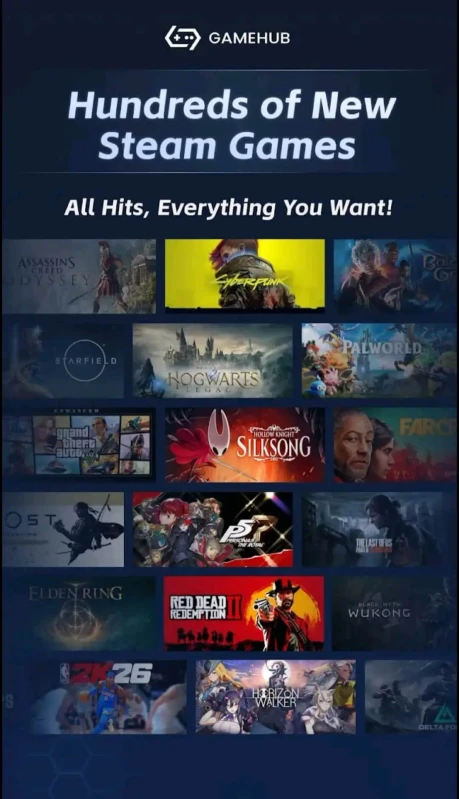
Setup Guide: Playing Your First Game
Getting started is incredibly straightforward:
- First Launch: Open GameHub. The app will automatically detect your chipset and download the optimal Turnip graphics drivers (takes 2-5 minutes).
- Steam Login: Navigate to the Steam tab and sign in to access your purchased library.
- Download: Tap the Download button on any game you own. Crucial: Keep the app open and screen on during the download process.
- Play: Once downloaded, GameHub automatically configures the best graphics settings. Just tap Play!
🎮 Gameplay Showcase: Performance Test
GameHub vs Winlator
Wondering which Windows emulator is right for you? Here is a quick breakdown:
| Feature | GameHub | Winlator |
|---|---|---|
| Ease of Use | ⭐⭐⭐⭐⭐ (Auto-config) | ⭐⭐ (Manual setup required) |
| Steam Integration | Direct Login & Download | Not natively supported |
| Play Store App | Yes (Official) | No (APK only via GitHub) |
| Best For | Beginners & Steam Users | Advanced Users & GOG Games |
Performance Optimization Tips
To get the highest FPS out of your device, follow these quick tweaks:
- Lower In-Game Resolution: Start with 640×360 or 960×544 for significantly better frame rates.
- Enable Performance Mode: Go to Settings > Performance Preset and select "Extreme".
- Close Background Apps: Emulation requires massive amounts of RAM. Free it up before launching heavy games.
Frequently Asked Questions (FAQ)
Is GameHub free to download and use?
Yes! GameHub is completely free to download from the Google Play Store. There are no in-app purchases or subscription fees to use the emulator itself.
Is GameHub safe to use?
Yes, the Play Store version is verified by Google Play Protect. The app requires you to log into your Steam account, but this is done through Steam's official secure portal API.
Can I play games offline?
Absolutely. Once you download your Steam games while connected to the internet, the native emulation mode allows you to play them completely offline, anywhere you go.


![GameHub v5.3.5 Free Download for Android [Official App 2026]](https://blogger.googleusercontent.com/img/b/R29vZ2xl/AVvXsEj4TbvK44yH-bqDGUwJz9bqx42qBk9nLssZaJDWcWvM8pfwkhPRP8Wq8G-NwY147mDtxvuRbmdOED6HgJ-ybszc-40GnSBT7qYa5LS2IwxuCIugvFNLLwdIElkKAdMylkaWfjqMK3qGLMM3B3eV5O94GxSwUjIOe-U4qTXu2Ig_1zPtvwu9D6rof5v9N7Uf/s960/gamehub_hero_image.webp)
